Make a Jeopardy game about your company.
Five categories about your products, your history, your customers, and your people — then host it on the conference-room display or share your screen on Zoom, Microsoft Teams, or Google Meet. One shared screen, teams around the table or on the call, and one host running clues and scoring — no buzzers, no apps, and nothing for teammates to install. Free to build, free to host, and reusable with every new cohort. The same builder teachers use for classroom review, pointed at your onboarding deck.
Free team boards, ready to host
One click and you're in. Project on the conference TV or share your screen on Zoom — no signup required.
Who builds office Jeopardy boards
Why the Jeopardy format works at work
Your content, not generic trivia
Every clue is about your company, so the game doubles as reinforcement.
Free blank-slate builder
Write all 25 clues yourself. No templates, no credit card.
Projector-ready host view
Fullscreen board, timers, hotkeys, and a team scoreboard.
Team-vs-team by default
Two to four teams keeps everyone talking, not just the fastest hand.
Fits a meeting slot
25–30 minutes for a full board, or play half and save the rest.
AI draft when you're short on time
Describe the topic and edit the generated board (paid AI credits).
Where teams run office Jeopardy
How do I make a Jeopardy game for the office?
Use Kleveroo's free board builder: name five categories about your company, write five clues each, then host the board on the conference-room screen or share it on a video call while teams compete. Free to build and host, and the board is reusable with every new team or cohort.
- A 5×5 board is 25 clues and takes about 15–25 minutes to write, 25–30 minutes to play.
- Host on a projector for in-office teams, or share your screen on Zoom, Meet, or Teams.
- Team scoring, the clue timer and played-clue tracking are built in — the host taps points and the board handles the rest.
- Remote-first alternative: a live room with a 6-character code so each person answers on their own device.
- Common uses are onboarding, all-hands warmups, sales and product training, and holiday parties.
Category ideas for a company board
Five of these make a full board.
The board on the conference-room screen
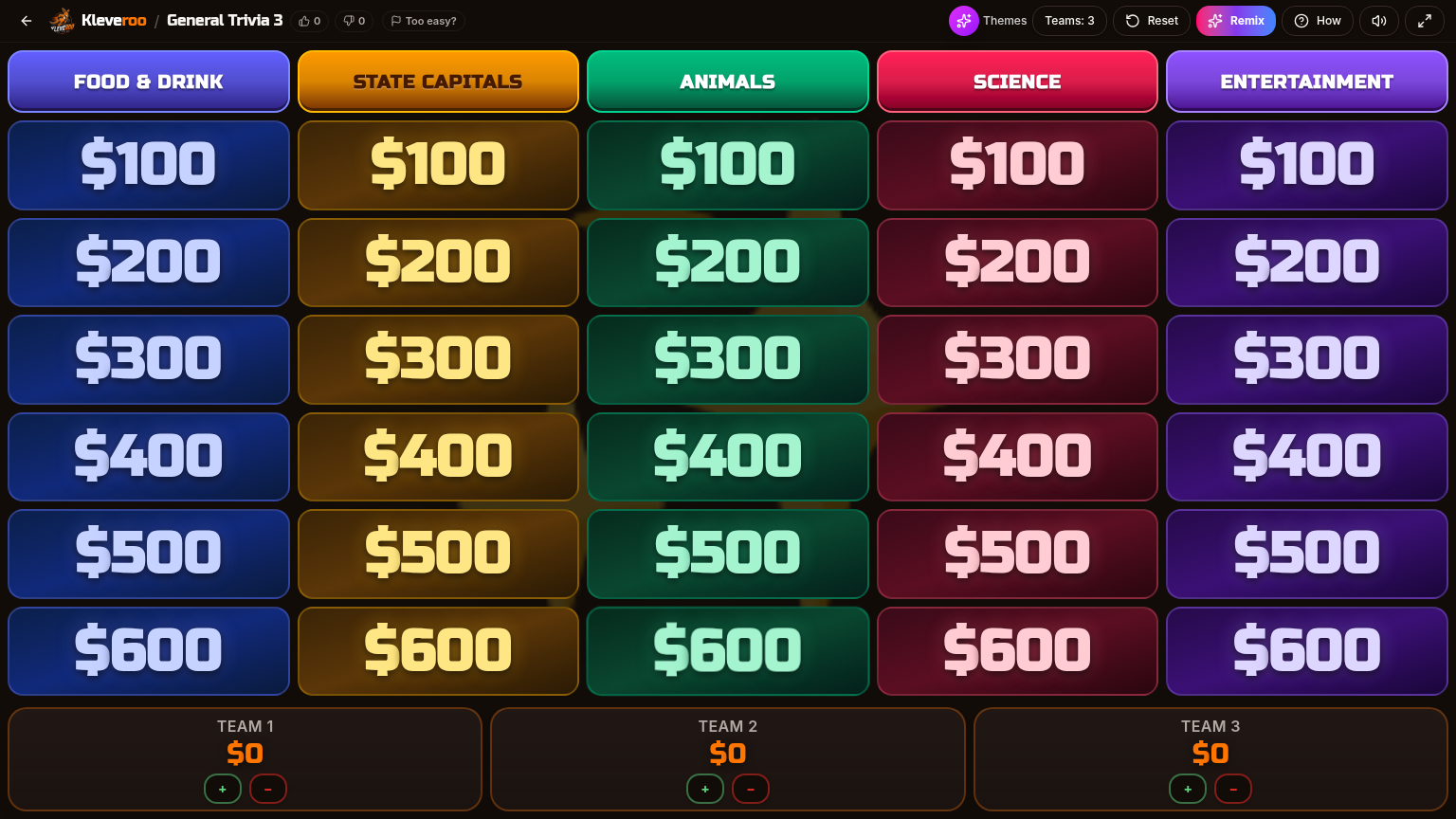
Five categories across the top, point tiles below, team scores at the bottom. Tap a tile, read the clue, run the timer, award the points. Fullscreen for the projector, and scores autosave so a laptop hiccup never resets the game.
Two ways to play: Board Battle vs Live Trivia
Board Battle puts one game on one shared screen with a host. Live Trivia lets everyone join from their own device. Both are free — pick by where your team actually is.
Shared-screen board
- Everyone is in the same conference room, or on one screen share
- You want team-vs-team, not individual scores
- You want the classic game-show pacing with a host
- Best for onboarding, training, and offsites
Live room with a code
- Team is remote or hybrid across time zones
- You want every person to answer, not just the loud ones
- You need it to scale past a few dozen people
- Best for all-hands warmups and large meetings
Host controls built for meetings
Per-clue timer with a keyboard shortcut, manual plus and minus scoring under every team, adjustable team count mid-game, and a Reset that does not blow up the room. One tap reveals the answer so the meeting keeps moving.
Build your company board this afternoon.
Free to build, free to host, reusable with every new cohort.
Seven ways teams use office Jeopardy
One builder, one shared screen — these are the sessions it gets used for most. Each is a full board you write once and re-run.
Playing office Jeopardy over Zoom, Teams, or Google Meet
Virtual office Jeopardy works because the game only needs one screen. Open your board in a browser tab, share that tab in the call, and host it exactly as you would in a conference room: you read the clue, a team answers out loud, you award the points. Nothing installs into Zoom, Microsoft Teams, Google Meet, Webex, or a Slack huddle, and nobody on the call needs an account, an app, or a buzzer. Hybrid meetings work the same way — people in the room and people at home are looking at one shared screen either way. For larger calls where there are no natural tables, split the call into breakout rooms per team, or switch to Live Trivia so everyone answers individually from their own device with a 6-character room code.
Running it on a video call
Same board, a few adjustments for remote and hybrid meetings.
Which Kleveroo mode fits your meeting
The only real question is whether the room is watching one screen or answering on their own devices.
Board Battle — one shared screen
- Host-led: you drive the board, reveal clues, and award points
- Everyone watches one screen — conference-room TV, projector, or a shared tab on a call
- No player accounts, no apps, no phones, no buzzers required
- Team-vs-team scoring is built into the board
- Best for onboarding, training review, offsites, and all-hands warmups
Live Trivia — join from your own device
- Each participant joins from their own phone or laptop with a room code
- Everyone answers individually rather than as a table
- Live scoring across all participants
- Scales past a room of tables
- Best for large distributed meetings where nobody shares a table
More for teams at work
The rest of the work and team cluster — pick the page that matches your session.
Teams hub
Every workplace game format in one place.
Company trivia games
Trivia about your products, history, and culture.
Custom corporate trivia
Boards built on your training and product material.
Onboarding Jeopardy
Day-one boards for new-hire cohorts.
Zoom trivia games
What to play with coworkers over video.
Remote team trivia
Running games for a distributed team across time zones.
Virtual team games
Formats beyond Jeopardy for teams that never share a room.
Trivia games for work teams
The broader guide to workplace trivia formats.
Jeopardy board maker
The blank-slate builder behind every board.
Halloween Jeopardy
A ready 6×6 Halloween board for office parties and seasonal meetings.
Picking a tool for work games
Classroom, training, all-hands or offsite — different tools fit different rooms.
Guides for running the session
Scoring, format, and setup walkthroughs from the Kleveroo library.
The board is simple. The wagering is where people get confused. Here's how the televised format works, what the wagering rules…
Read guideA Google Slides board is free, offline-capable, and entirely yours. It also can't keep score, run a timer, or remember which cl…
Read guidePlenty of classroom game advice assumes every student has a Chromebook. If you have one screen, a shared cart, or unreliable wi…
Read guideFrequently asked questions
+Can I make a Jeopardy game about my company?
Yes. Open the manual board builder and name five categories — for example Our Products, Company History, Who Said It, Customer Wins, and Office Trivia — then write five clues under each. A full 5×5 board takes about 15–25 minutes and saves to your account for reuse.
+Can you play Jeopardy over Zoom?
Yes. Open the board in your browser, share that tab or window in the Zoom call, and host it exactly as you would in a meeting room. Everyone on the call sees the same grid, the same clue, and the same team scores. Nothing installs into Zoom and nobody needs an account — the host drives the board and reads the clue out loud.
+Can remote teams play office Jeopardy?
Yes, and it's one of the most common ways it gets used. Remote teammates are split into teams the same way an in-person room is; they discuss in the call (or in a breakout room) and answer out loud when it's their turn. Hybrid works too — people in the conference room and people at home are watching one shared screen either way.
+Does office Jeopardy work on Microsoft Teams?
Yes. Microsoft Teams, Google Meet, Webex, and Slack huddles all work the same way, because the board is just a browser tab you share. There's no app, plugin, or admin approval to request.
+Do employees need buzzers?
No. Board Battle is host-led and shared-screen: the host picks or confirms which team is answering, so there are no buzzers, no apps, and no phones required. If you'd rather everyone answer individually from their own device, Kleveroo Live Trivia is the separate mode built for that — it uses a 6-character room code instead of buzzer hardware.
+Can we play with one shared screen?
Yes — that's the default. One screen and one host is the whole setup, whether that screen is a conference-room TV, a projector, or a shared tab on a video call. Teammates don't sign in, don't install anything, and don't need a second device.
+What categories work for an office board?
The ones that reward paying attention: product and pricing details, company milestones, customer stories, team fun facts, benefits and policies people actually need to know, and one light category like office snacks or the CEO's first job.
+How do we play it in a meeting?
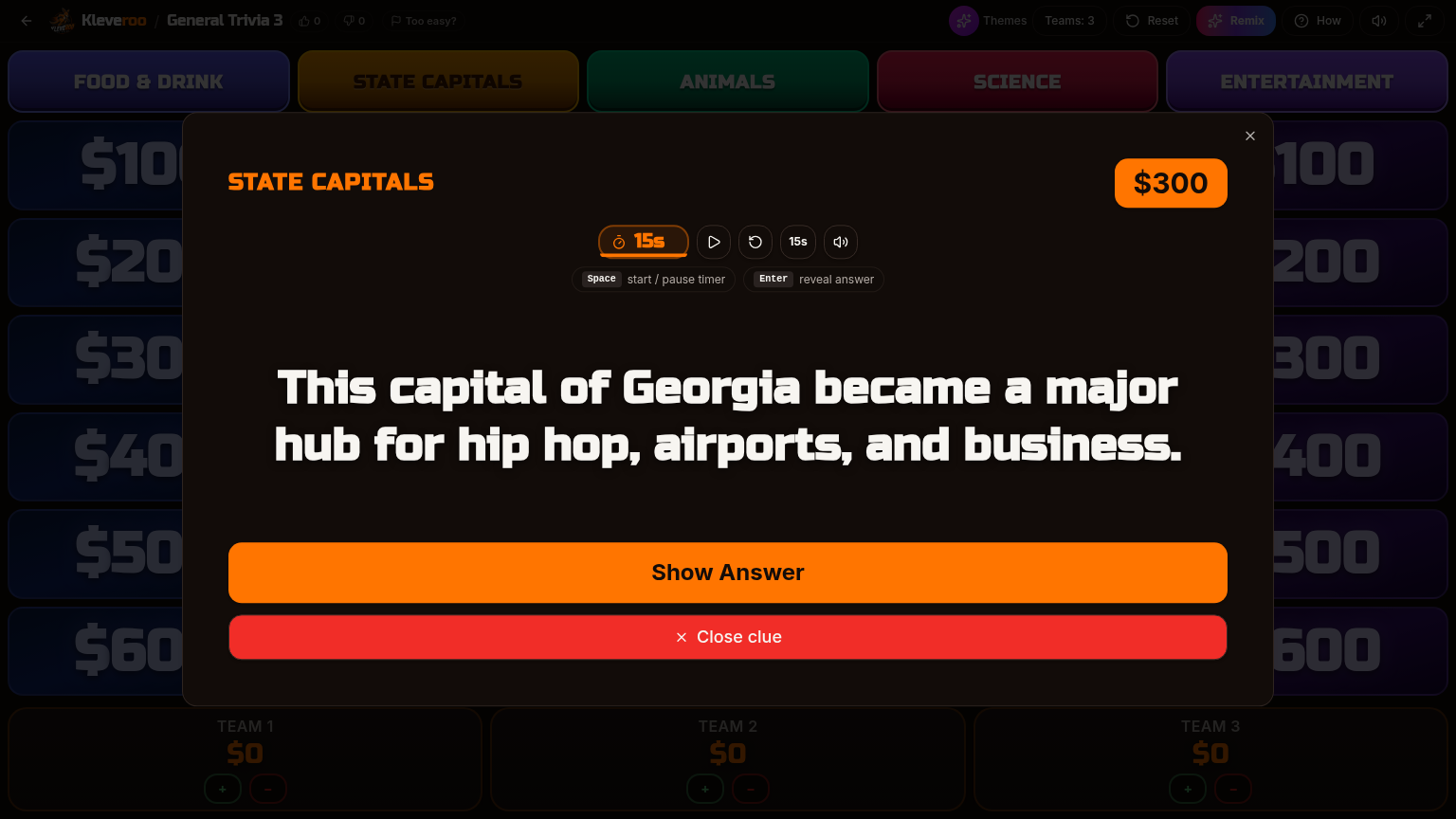
Share your screen or put it on the conference-room TV, split the meeting into 2–4 teams, and host it. The clue view has a timer and a Show Answer control, and you award points from the scoreboard as teams answer.
+What about remote and hybrid teams?
Two options. Share your screen on Zoom, Meet, or Teams and run it team-vs-team, or open a live room and drop the 6-character code in the meeting chat so everyone answers on their own device.
+How long does an office Jeopardy game take?
A 5×5 board is about 25–30 minutes. If you only have 10–15 minutes, play a half board or run a live trivia round instead — you can pick the game back up later since scores autosave.
+Is it free to host?
Yes. Building boards by hand and hosting them is free. Optional paid features include AI board generation, 8×8 boards, and the premium team library.
+Can I reuse the same board with a new cohort?
Yes. Boards save to your account and can be duplicated, so an onboarding board built once runs with every new-hire class after that.
Your company board, ready before the next meeting.
Free forever for hand-built boards. Save it and run it with every cohort.