Trivia games your coworkers can play over Zoom.
Paste a 6-character code into the meeting chat and everyone joins from a browser — phone or laptop, no signup, no install. Answers score live on a shared leaderboard. Works the same on Zoom, Google Meet, and Microsoft Teams, and takes about ten minutes.
Free team boards, ready to host
One click and you're in. Project on the conference TV or share your screen on Zoom — no signup required.
Who runs games on calls
Built for video calls
Platform agnostic
Zoom, Meet, Teams, Webex — players just open a browser tab.
Every device is a buzzer
No app store, no plugin, no admin approval needed.
Fits a 10-minute slot
Short enough to run at the top of a normal meeting.
Scales to hundreds
One shared leaderboard however many people join.
Hybrid on one code
In-room and remote teammates play the same game.
Switch modes between rounds
Trivia, Word Relay, Guess the Word — same room.
Calls this fits
What trivia game can coworkers play over Zoom?
Host a Kleveroo live room, paste the 6-character code into the meeting chat, and every coworker joins from a browser on any device. Answers score in real time on a shared leaderboard. It takes about 10 minutes, nothing installs, and it works identically on Zoom, Google Meet, and Microsoft Teams.
- Players join with a 6-character code — no account, no download, phone or laptop.
- One live round is about 10 minutes; a full Jeopardy-style board is 25–30.
- Up to 30 players per room on one shared leaderboard.
- Hybrid works: in-room and at-home teammates join the identical code.
Three ways to run a game on a call
Everyone answers from their own screen
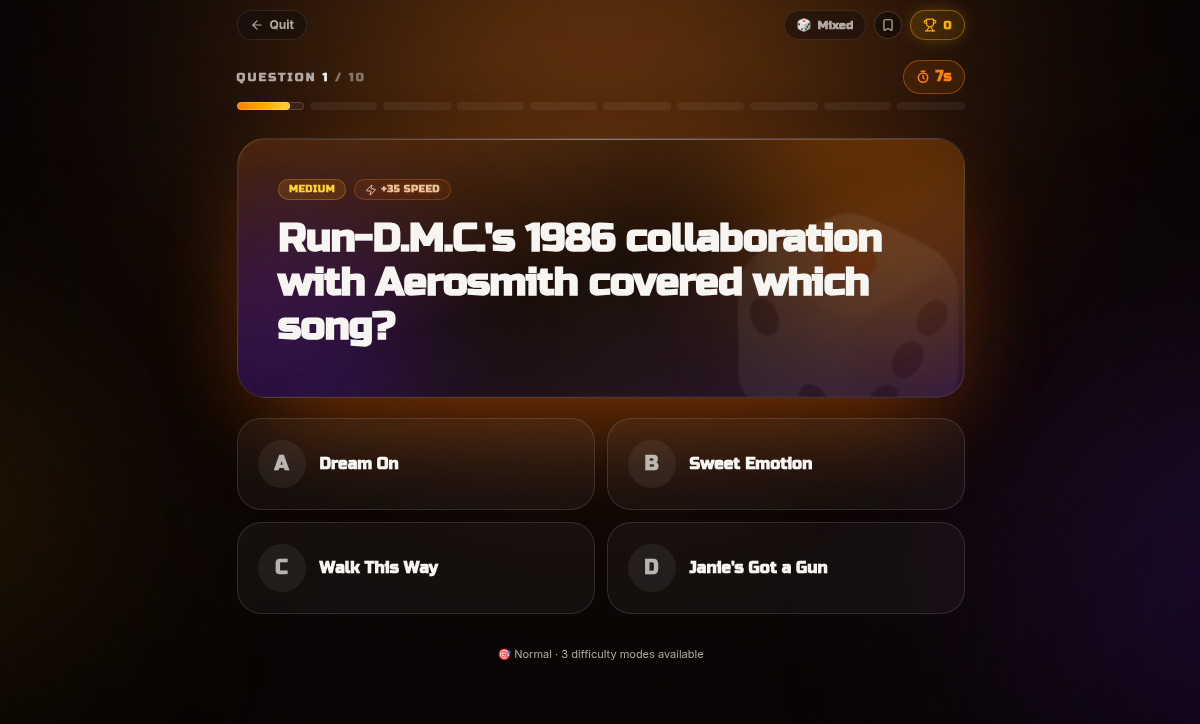
Drop the 6-character code into the meeting chat and the room fills in seconds. Each player gets the question and four choices on their device, with a countdown and speed-based scoring. The leaderboard is the part people talk about after the call.
Or share your screen and host a board
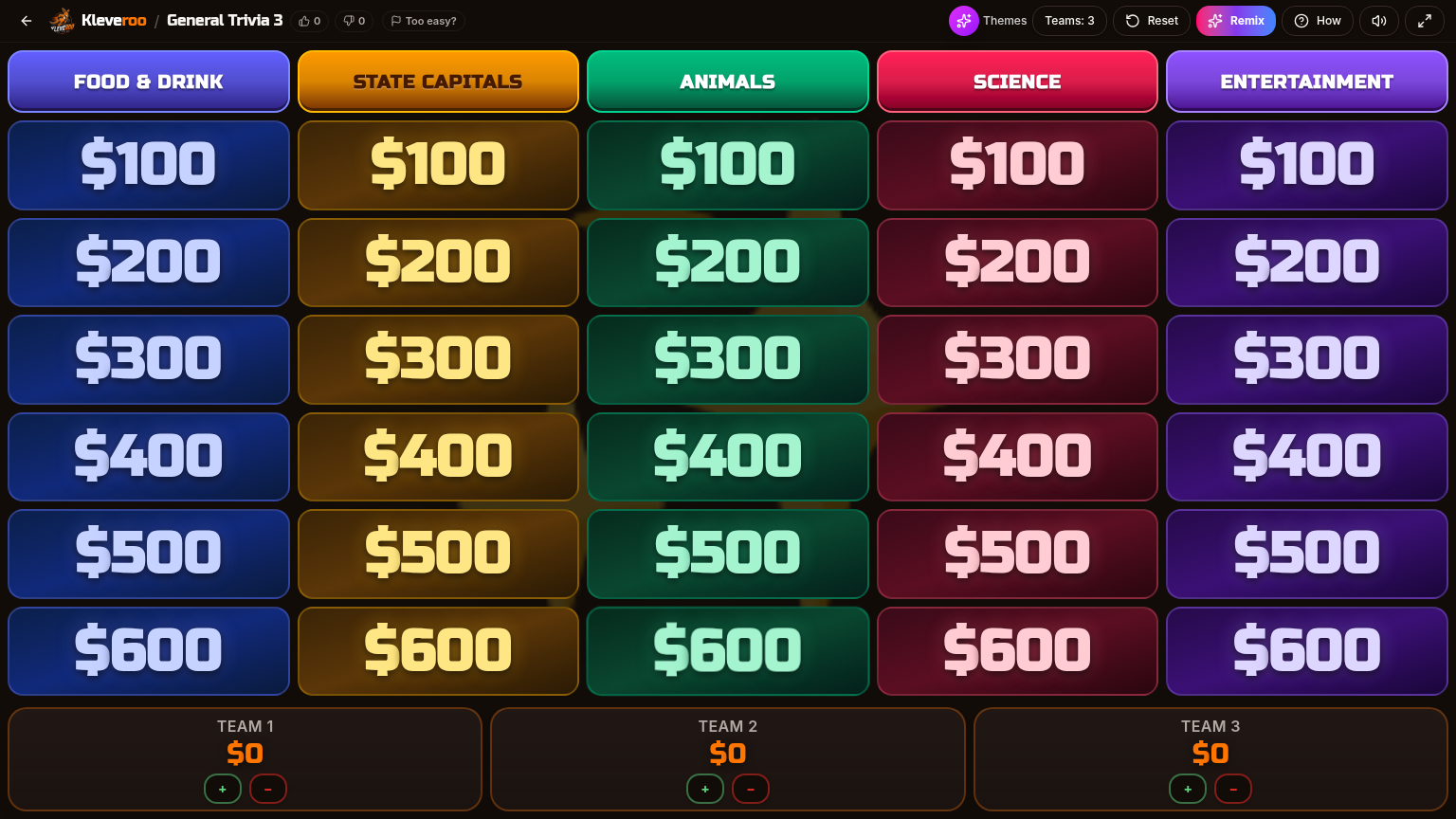
When you want team-vs-team instead of individual scores, share your screen and run a Jeopardy-style board. Categories across the top, point tiles below, teams named after whoever is on the call. Host controls the timer and the reveal.
Open a room before your next call starts.
Free to host. No installs for anyone. Works on any video platform.
Where a call game actually helps
More for remote and hybrid teams
Teams hub
Every workplace game format in one place.
Virtual team games
Remote-first formats built around room codes.
Remote team trivia
Trivia formats for distributed teams.
Office Jeopardy
Make a Jeopardy game about your company.
Icebreaker games
Short openers for a quiet meeting.
All-hands games
Warmups that scale to hundreds.
Frequently asked questions
+What can my coworkers play together over Zoom?
A live trivia room is the simplest option: you share a 6-character code in the meeting chat, everyone joins in a browser on their phone or laptop, and a shared leaderboard updates in real time. If you'd rather run a team-vs-team game, share your screen and host a Jeopardy-style board instead.
+Does it work on Google Meet and Microsoft Teams too?
Yes. Nothing installs into the video platform — players open a browser tab, so the same room code works whether your call is on Zoom, Meet, Teams, Webex, or anything else.
+How long does a game take?
A live round is about 10 minutes, which fits at the start or end of a normal meeting. A full Jeopardy-style board runs about 25–30 minutes and suits an offsite, a social hour, or a dedicated team-building block.
+Do players need accounts or downloads?
No. Players join from a link and a 6-character code with no signup and no install. Only the host needs an account, and hosting is free.
+How many people can join a call game?
Each room holds up to 30 players. For a bigger call, have small teams share one device each so everyone still lands on one leaderboard.
+What if the team is hybrid — some in a room, some at home?
Use the same code for both. People in the conference room play from their phones while remote teammates play from their laptops, and everyone appears on one leaderboard.
+Can the questions be about our company?
Yes. Build a board or a question set about your products, customers, and team, then run it in the call. That's the most common request from onboarding and all-hands hosts.
Give your next call something to do.
Free to host. Nothing to install. Ten minutes start to finish.