
Make a Jeopardy game for family game night.
Write five categories about your own family — road trips, baby photos, Grandma's kitchen — or open a ready-made board and play it on the TV in the next ten minutes. One screen in the living room, one host running the board and scoring, everyone else split into teams — nobody needs an app, an account, or their own phone. Free to build, free to host, and the board saves so you can run it again next holiday.
Who plays family Jeopardy
Why the Jeopardy format works for families
One screen, everyone plays
Host on the TV. Nobody else needs a device or an account.
Mixed ages on teams
Pair kids with adults so every generation contributes something.
Clues about your people
Write the categories yourself — that's where the laughs come from.
About 30 minutes
Long enough to feel like a real game, short enough to finish before dessert.
Or generate a draft
Describe a topic and get a playable board to edit (paid AI credits).
No rules to explain
Everyone already knows how the game show works.
When families run a board
How do I make a Jeopardy game for family game night?
Open Kleveroo's free board builder, pick five categories about your family or a topic everyone knows, write five clues in each, then play it fullscreen on the TV with everyone split into teams. Building and hosting are free, and the board saves for next year.
- A standard board is 5 categories × 5 clues — about 15–25 minutes to write, about 30 minutes to play.
- Only the host needs a screen; everyone else answers out loud around the TV.
- Remote relatives can join a live room from their own browser with a 6-character code.
- Ready-made boards are free to play if you don't want to write clues yourself.
Family category ideas that always land
Steal any five of these for your first board.
What it looks like on the TV
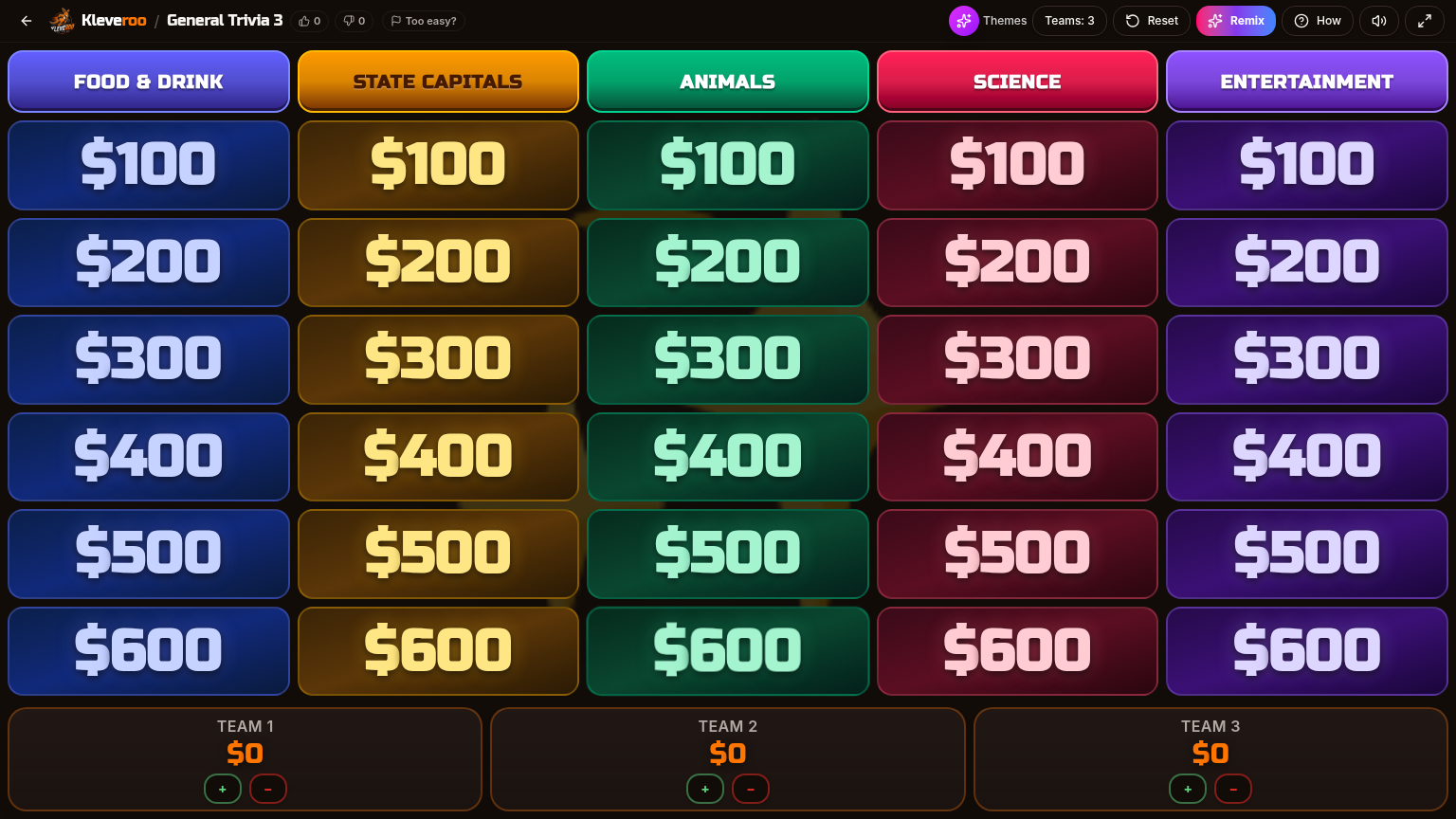
Five categories across the top, point tiles below, team scores along the bottom. Tap a tile, read the clue out loud, run the timer, then award the points. It is the game show format everyone already understands — no rules to explain.
Write your own vs play a ready-made board
Both are free. Pick by how much time you have before people arrive.
Write your own
- You want inside jokes and family history in the clues
- You have 20 minutes the night before
- You want a board you can reuse every Thanksgiving
- The reveal of a baby photo clue is the whole point
Play a ready-made board
- Guests are already here and you need a game now
- Nobody wants a quiz about their own life
- Mixed group of family and friends who don't share history
- You'd rather remix an existing board than start blank
Inside a clue
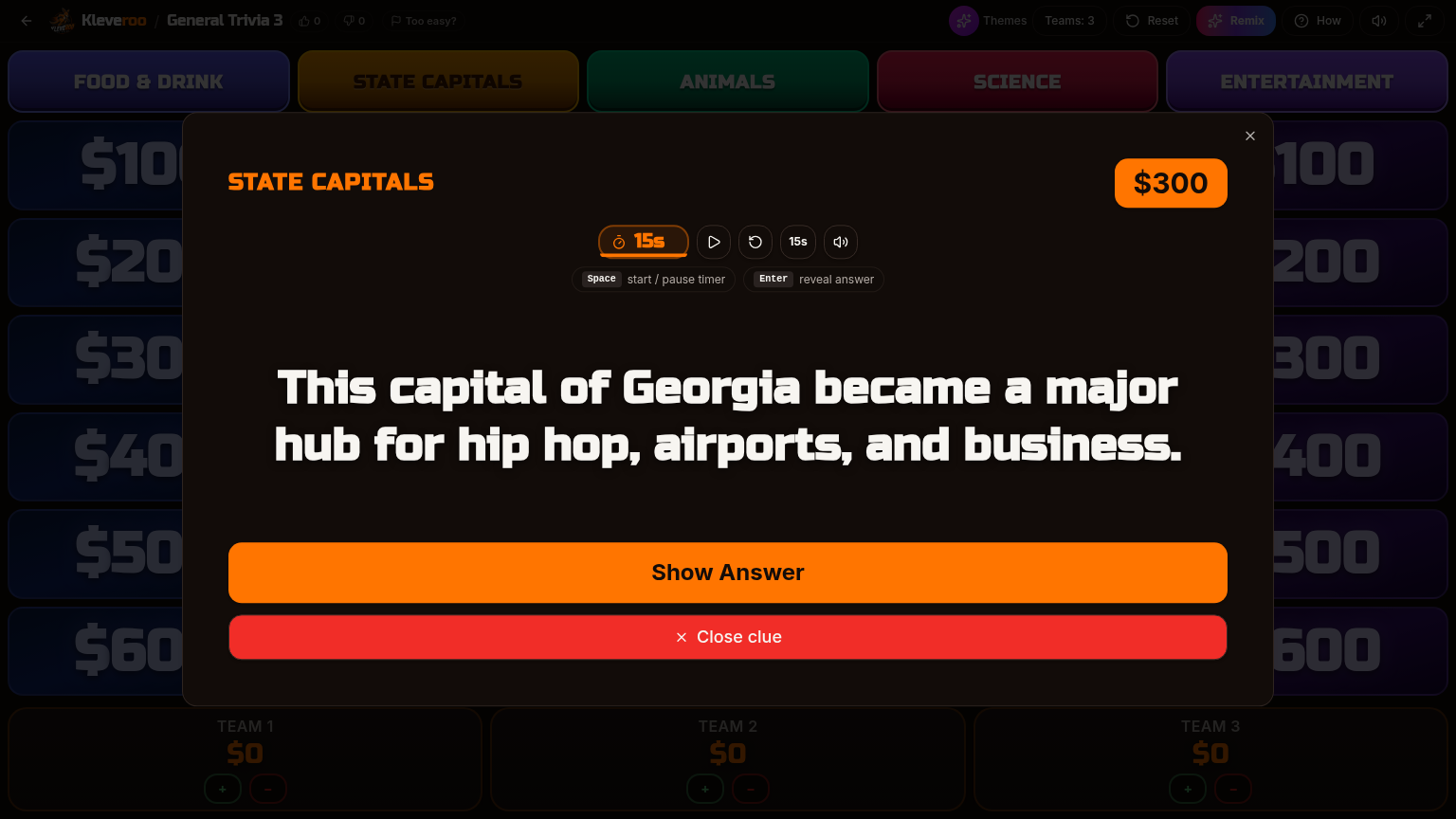
Each tile opens fullscreen with a countdown. Reveal the answer when the room locks in a guess, then tap plus or minus on the team scoreboard. Scores save automatically, so a refresh or a dropped Wi-Fi connection never kills the game.
Have a family board ready before dinner.
Free to build. Free to host. Reuse it every year.
More for game night
Family Game Night hub
Every party and family format in one place.
Online family games
What to play together on the TV or over video.
Trivia games for friends
Party-ready boards you can open and host now.
Jeopardy board maker
The full blank-slate builder behind every board.
Community boards
Browse every free board other players published.
Halloween Jeopardy
A free spooky board to host at a Halloween party or game night.
Comparing game-night tools
A few different apps can run a Jeopardy-style night at home.
Frequently asked questions
+Can I make a Jeopardy game about my own family?
Yes. Open the manual board builder, name five categories — for example Grandma's Kitchen, Family Vacations, Baby Photos, Dad Jokes, and Our Hometown — and write five clues under each. It takes about 15–25 minutes and the board saves to your account so you can reuse it every holiday.
+How do we play it on the TV?
Open the board on whatever device is connected to the TV (laptop, tablet, or the TV browser) and go fullscreen. One person hosts and reveals clues; everyone else answers out loud in teams. Nobody else needs a device or an account.
+How many people can play?
Any size group. Around the table, split into 2–4 teams and share one screen. If some family is remote, host a live room instead and share the 6-character code so they join from their own phone or laptop.
+Is it free?
Yes. Building boards by hand and hosting them is free, with no credit card. Optional paid extras include AI board generation, larger 8×8 boards, and the premium curated library.
+What if I don't want to write 25 clues before the party?
Play a ready-made board instead. The public library has free Movies & TV, music, food, sports, and general-knowledge boards you can open and host right away, or remix one and swap in a few family-specific clues.
+Does it work with kids?
Yes. Mixed-age groups usually work best with kids paired onto teams with an adult, and with the easier point rows played first. You control the clues, so you can pitch the difficulty wherever your family sits.
+Do the other players need to download anything?
No. There is nothing to install. Around-the-table play needs one screen. Remote play uses a browser link and a 6-character room code.
Build the board tonight. Play it tomorrow.
Free forever for hand-built boards. Saved to your account for next year.