
Free review games for teachers — the format students actually ask for
Build a Jeopardy-style review board in 15 minutes, host it on a projector or Chromebook, and turn end-of-unit review into the lesson students remember. Free forever for manual boards.
Free classroom boards — host one in a click
No signup needed. Project on a TV or share your screen — students can play right now.
Who this is for
What Kleveroo gives teachers
Free manual builder, unlimited boards
Type every category, clue, and answer. Free forever, no credit card.
Optional AI generator (Plus)
Paste a topic or upload a PDF lesson plan and get a playable draft in under a minute.
Projector-ready host view
Big-screen layout, keyboard hotkeys, adjustable timers, built-in team scoreboard.
Team or whole-class play
Group students into teams on one shared screen, or run remote/hybrid from their devices.
Curated subject boards
Science, math, history, ELA, Spanish, French, Italian, vocab, test prep — ready to play.
Built for 15–25 minute review
5×5 fits a class period. 8×8 (Plus) handles a full semester recap.
Real teacher use cases
Why review games work — and why teachers keep coming back to them.
Review games hit three things at once: spaced recall, group accountability, and engagement. A 20-minute Jeopardy round at the end of a unit consistently outperforms another lecture for retention — and students actually ask for it.
When to use a review game
Common spots in a unit where a 15–25 minute board pays off.
Manual builder vs AI generator — which to use
Both are first-class on Kleveroo. Pick by how much content is already written.
Use the manual builder when…
- You already have your review questions written
- Content is tightly tied to your specific lesson
- You want full control over wording and difficulty
- You're on the free plan
- You enjoy writing the clues — that's the prep
Use the AI generator (Plus) when…
- You have a topic but no clues written yet
- You want to paste a PDF lesson plan and get a draft
- You make multiple review boards a week
- You're fine editing AI output before class
- You're prepping a sub plan in a hurry
Review-game tips that actually move the needle
Small format choices that change how much students learn.
What a review board looks like on the projector
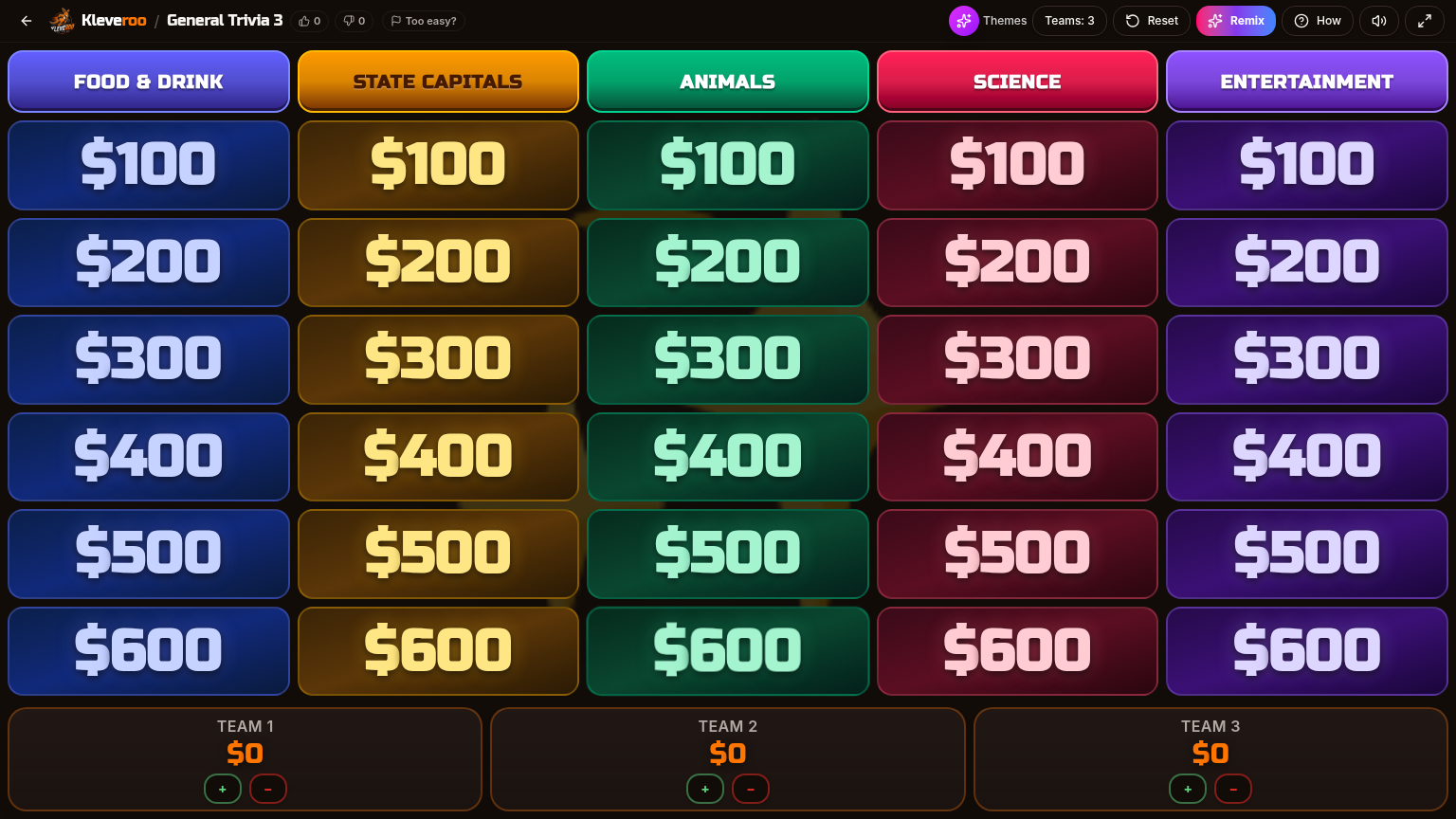
Five categories down, six rows of point values across. Click a tile to reveal a clue, run the timer, then award points to the team that answers first. Designed for projectors, TVs, and Chromebooks.
Inside a clue — timer, reveal, points
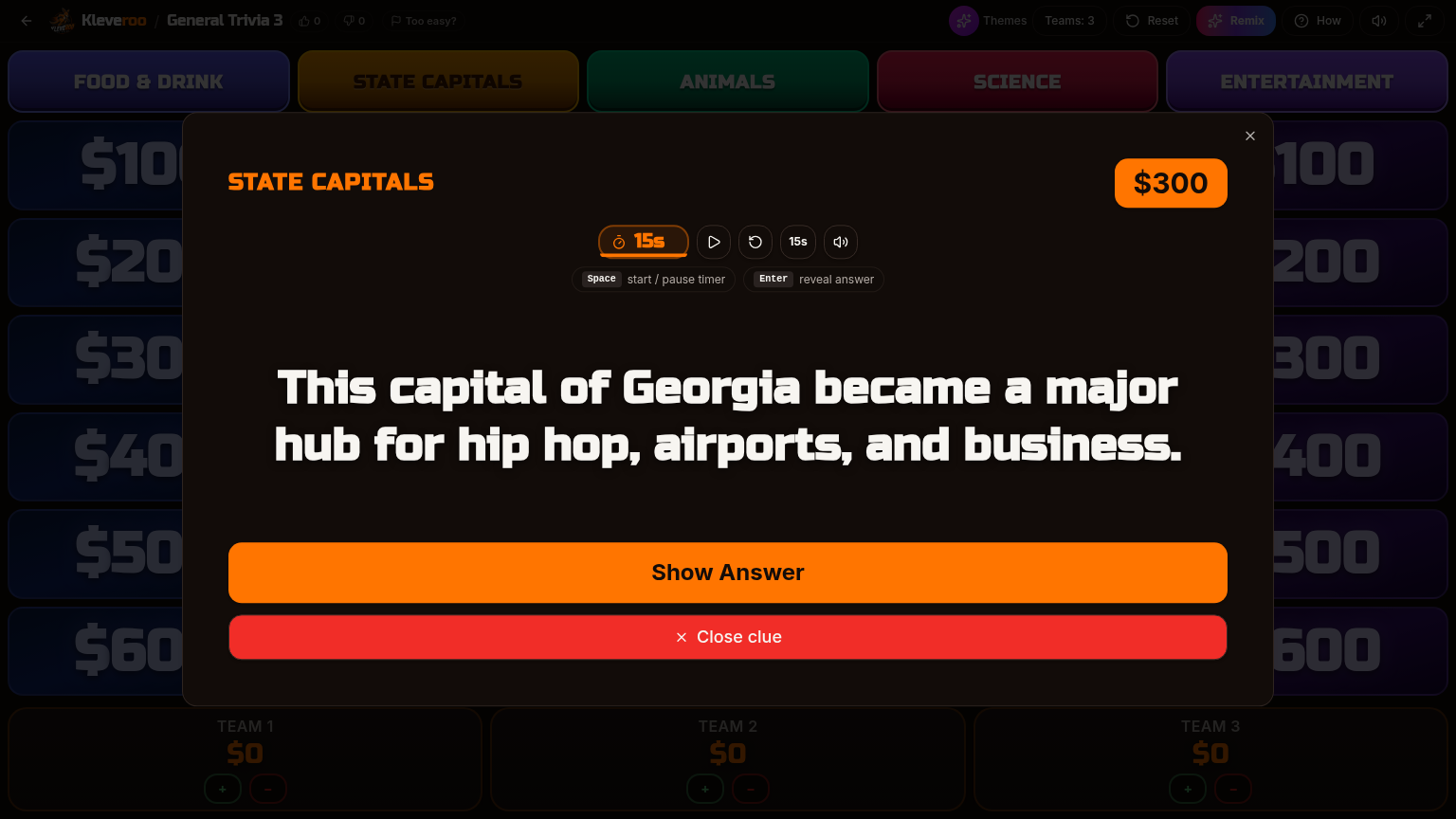
Each tile opens a full-screen clue with a built-in countdown timer. Press space to reveal the answer, then tap +/− on the team scoreboard. Hotkeys keep the pace up so review week stays sharp.
Keep exploring
Jeopardy game maker
Free forever. Build a board by hand in 15 minutes.
AI board generator (Plus)
Paste a topic or a PDF lesson plan and get a draft.
Classroom Jeopardy game
The dedicated landing page for our free classroom Jeopardy game.
Teachers hub
Subject boards, classroom tips, and lesson-aligned games.
Free teacher boards
Curated boards by subject and grade.
All public boards
Browse every free community board.
Pricing
Free forever for manual boards. Plus from $9.99/mo.
Review game guides
Deeper how-tos for test week, unit review and running games without student accounts.
Most review games fail the same way: three students answer everything and the rest wait it out. Here are six formats that hold…
Read guideOne long review the day before a test is the most common approach. Here's a practical way to spread the same minutes across the…
Read guideA review game is only as good as its coverage. Here's how to build one from your unit objectives rather than from whatever ques…
Read guideThe board is the easy part. Team formation, scoring, and what the other 24 students do while one team answers are what decide w…
Read guideReview games and worksheets do different jobs. Here is what each one is actually good at, and how to run a pre-test review game…
Read guideJoin-by-code and student accounts are not the same thing, and the difference matters if your school restricts what student info…
Read guideFrequently asked questions
+What are review games for teachers?
Review games are short, structured classroom activities that re-surface what students learned in a unit. The Jeopardy-style format is popular because it groups content by category, scales by difficulty, and turns recall into a low-stakes competition between teams.
+Are Kleveroo's review games really free for teachers?
Yes. Building and hosting manual boards is free forever, with no trial timer and no credit card. Paid plans only add optional extras like AI generation, premium curated boards, larger 8×8 boards, and visual themes.
+How long does it take to build a review board?
A manual 5×5 board (5 categories × 5 clues) typically takes 15–25 minutes if you already have the content. With the optional AI generator (Plus), you can paste a topic or a PDF lesson plan and get a playable draft in under a minute, then edit anything you want to change.
+What grade levels does this work for?
Kleveroo is used by elementary, middle school, high school, and college instructors. The format is flexible: simpler clues and smaller boards for younger students, denser clues and 8×8 boards (Plus) for AP, college, and test prep.
+How do students play — on their own devices or one shared screen?
Both work. The most common classroom flow is one shared screen (projector or TV) with the teacher hosting and students grouped into teams. There's also a remote/hybrid mode where students join from their own devices.
+Can I save and reuse boards year after year?
Yes. Boards are saved to your account. You can duplicate, edit, and re-host them every semester. Many teachers maintain a library of boards by unit so review week is just 'open last year's board.'
+Is there a library of pre-built review games I can use right away?
Yes. Kleveroo has a growing library of free community boards plus curated subject sets for teachers (science, math, history, ELA, Spanish, French, Italian, vocabulary, test prep, computer science, and more). You can play them as-is or remix them.
Build your next review game in 15 minutes.
Free forever for manual boards. Save them, reuse them, share them with your department.