
Best classroom Jeopardy games — free boards teachers actually use
A practical roundup of the best classroom Jeopardy games — organized by subject, grade band, and review type. Free to host on a projector, TV, or Chromebook. No credit card.
Top classroom Jeopardy boards — host one in a click
No signup. Project on a TV or share your screen — students can play right now.
Who this roundup is for
What makes a great classroom Jeopardy tool
Free manual builder, unlimited boards
Type every category, clue, and answer. Free forever, no credit card.
Optional AI generator (Plus)
Paste a topic or upload a lesson file (PDF, Word, PowerPoint, text, or a photo of a worksheet) and get an editable draft board back.
Projector-ready host view
Big-screen layout, keyboard hotkeys, adjustable timers, built-in team scoreboard.
Team or solo-device play
Project on one screen, or have every student join a live room from their phone.
Curated subject library
Science, math, history, ELA, Spanish, French, Italian, vocab, test prep — ready to play.
Built for 15–25 minute review
5×5 fits a class period. 8×8 (Plus) handles a full semester recap.
Real teacher use cases
What's the best classroom Jeopardy game?
The best classroom Jeopardy game is the one whose clues match what your students just learned. The format itself is solved — five categories, six rows of point values, team scoreboards. The win is content tightly mapped to your unit, and a host view that runs cleanly on whatever screen you have.
- 5×5 boards fit a class period — about 15–25 minutes of play.
- 8×8 boards (Plus) handle cumulative semester or AP review in 35–45 minutes.
- Teams of 3–4 students keep more brains engaged than whole-class buzz-in.
- Making every team write the answer before the reveal turns recall into a whole-class exercise.
- Kleveroo's free tier covers unlimited manual boards on a projector, TV, or Chromebook.
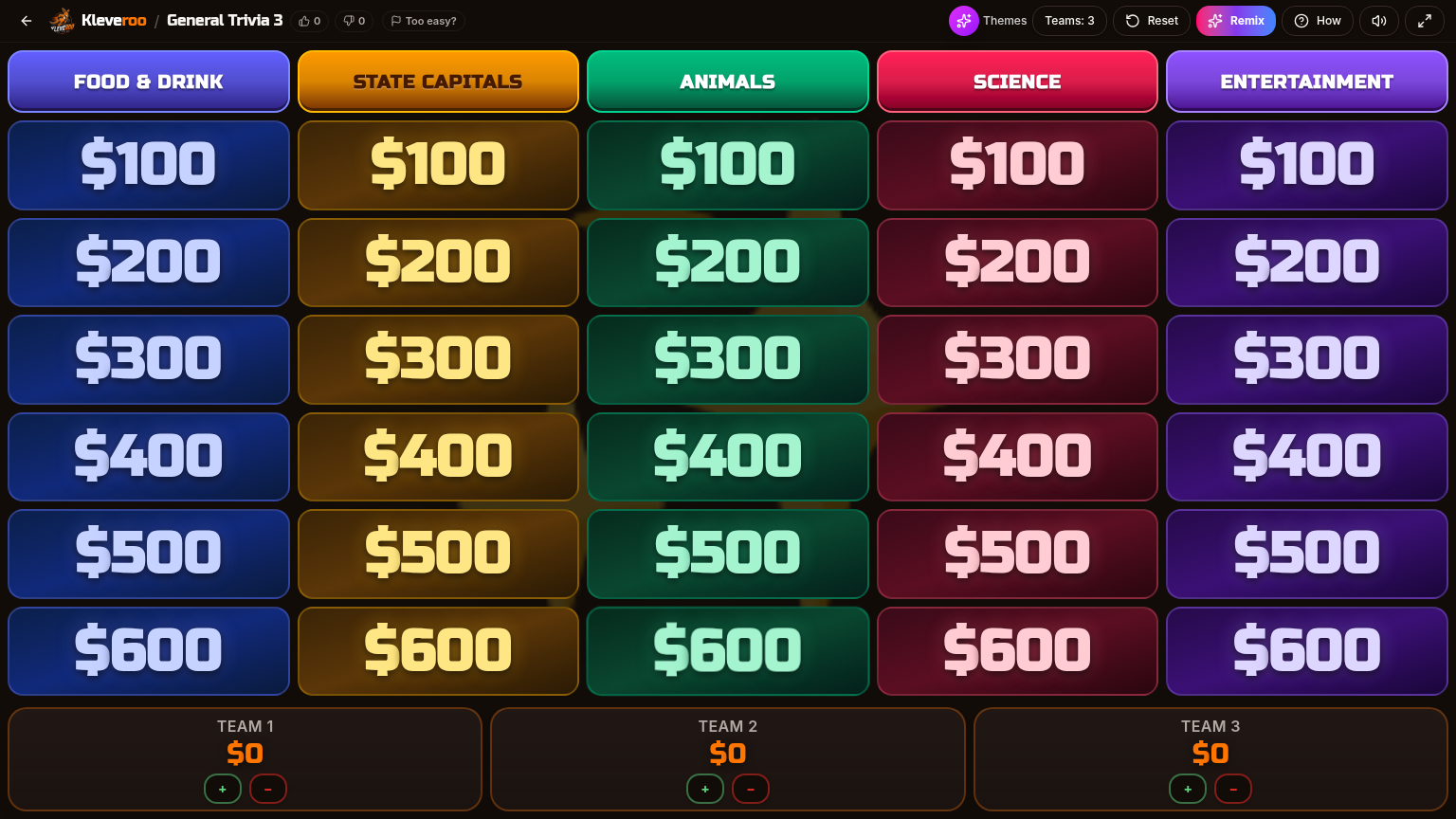
What a classroom Jeopardy board looks like
Five categories across, six rows of point tiles down. Project it on the TV, split the class into teams, and run a 20-minute review round. Three team scoreboards with one-tap +/− scoring sit right under the grid.
Best classroom Jeopardy games by subject
Free, ready-to-host boards from Kleveroo's curated library.
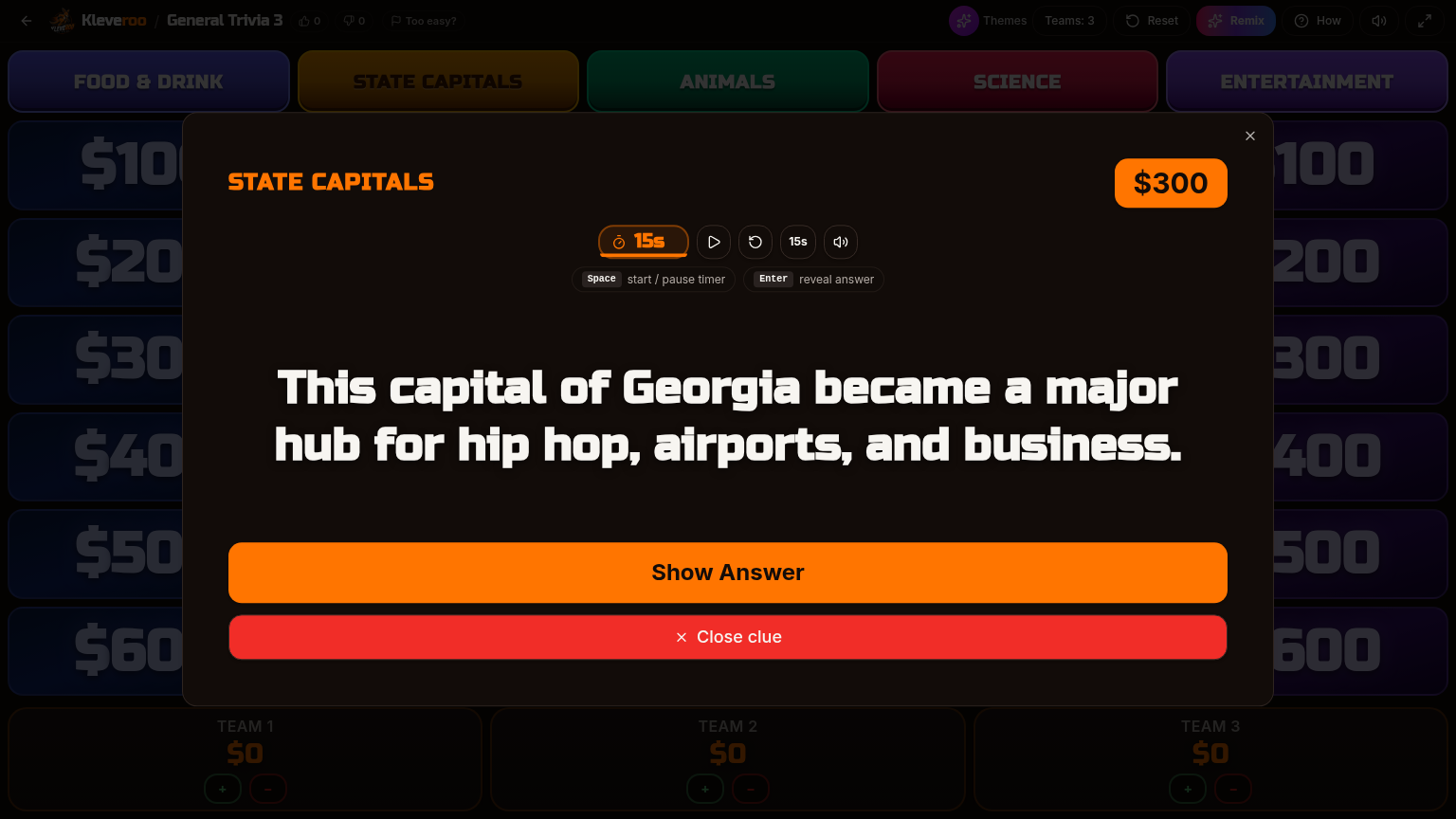
Inside a clue — timer and reveal
Each tile opens a full-screen clue with a built-in countdown timer. Press space to reveal the answer, then award points to the right team. Hotkeys keep the pace up so review week stays sharp.
Best classroom Jeopardy formats by use case
Same board engine, different slots in the week.
Shared screen vs solo device — pick the format that fits the room
Same Kleveroo content, two ways to play.
Shared screen (projected board)
- Project on a TV, projector, or Chromebook
- Split the class into teams of 3–4
- Manual scoreboard adjust as you go
- Keyboard hotkeys for timer and reveal
- Classic team-vs-team energy
Live multiplayer room (solo device)
- Every student joins from their phone or Chromebook
- 6-character join code — no signup
- Multiple-choice clue with countdown timer
- Real-time leaderboard with speed-bonus scoring
- Same content library as the team boards
Format choices that move retention
Small tweaks that change how much students actually learn.
Keep exploring
Jeopardy game maker
Free forever. Build a 5×5 board by hand in 15 minutes.
AI board generator (Plus)
Paste a topic or PDF lesson plan and get a draft.
Teachers hub
Subject boards, classroom tips, and lesson-aligned games.
Free teacher boards
Curated boards by subject and grade.
Review games for teachers
How teachers run a 15-minute review round.
Classroom Jeopardy game
Our dedicated free classroom Jeopardy game landing page.
How to play Jeopardy in class
Step-by-step host guide.
Pricing
Free forever for manual boards. Plus from $9.99/mo.
Frequently asked questions
+What makes a classroom Jeopardy game actually good?
Three things: clues tightly mapped to what students just learned, a format that gives every team a chance to answer (not just the team that buzzes in), and a host view that runs smoothly on whatever screen you have. The format itself is half the work — the other half is content that matches the unit.
+Are Kleveroo's classroom Jeopardy games free?
Yes. The manual builder and host view are free forever, with no credit card. The free tier includes a growing library of community and curated subject boards. Paid plans (Boards $4.99/mo, Kleveroo+ $9.99/mo) unlock AI generation, premium boards, larger 8×8 boards, and visual themes.
+What grade levels do these work for?
Elementary through college. Use 5×5 boards with simpler clues for younger students, and 8×8 (Plus) with denser clues for AP, college, and test prep. The same host view scales across grade levels.
+How long does a classroom Jeopardy round take?
A 5×5 board fits a class period — about 15–25 minutes of play. An 8×8 board (Plus) runs closer to 35–45 minutes and works well for cumulative semester review.
+Do students play on a shared screen or on their own devices?
Both work. The most common classroom flow is one shared screen (projector or TV) with the teacher hosting and students split into teams. Kleveroo also supports live multiplayer rooms where each student joins from their phone or Chromebook with a 6-character code.
+Can I build a Jeopardy game about my own lesson?
Yes. The free manual builder starts from a blank 5×5 board — you write every category, clue, and answer. With Kleveroo+, the AI generator can take a topic or a PDF lesson plan and produce a draft board you can edit.
+Can I save and reuse boards every year?
Yes. Boards are saved to your account. Duplicate, edit, and re-host them every semester. Many teachers maintain a per-unit library so review week is just "open last year's board."
Pick a board and host it in 2 minutes.
Free forever for manual boards. Save them, reuse them, share them with your department.