
The short answer
Classroom trivia formats that work across K–12 are quick-fire warm-ups, Jeopardy-style category boards, small-team challenges, picture rounds, and clue trails. Pick one, match question difficulty to the grade level, keep rounds short, and review missed questions afterward so the game doubles as a quick check for understanding. Below: how each format works, question tips by grade band, low-tech and digital setups, and sample games to run this week.
Classroom trivia ideas for K–12 teachers
Choose one format and adapt it to your subject and grade level. The format shapes pacing and student buy-in.
- Quick-fire quiz: 5–10 short questions for warm-ups or exit tickets. Use buzzers or raise-hands to answer fast.
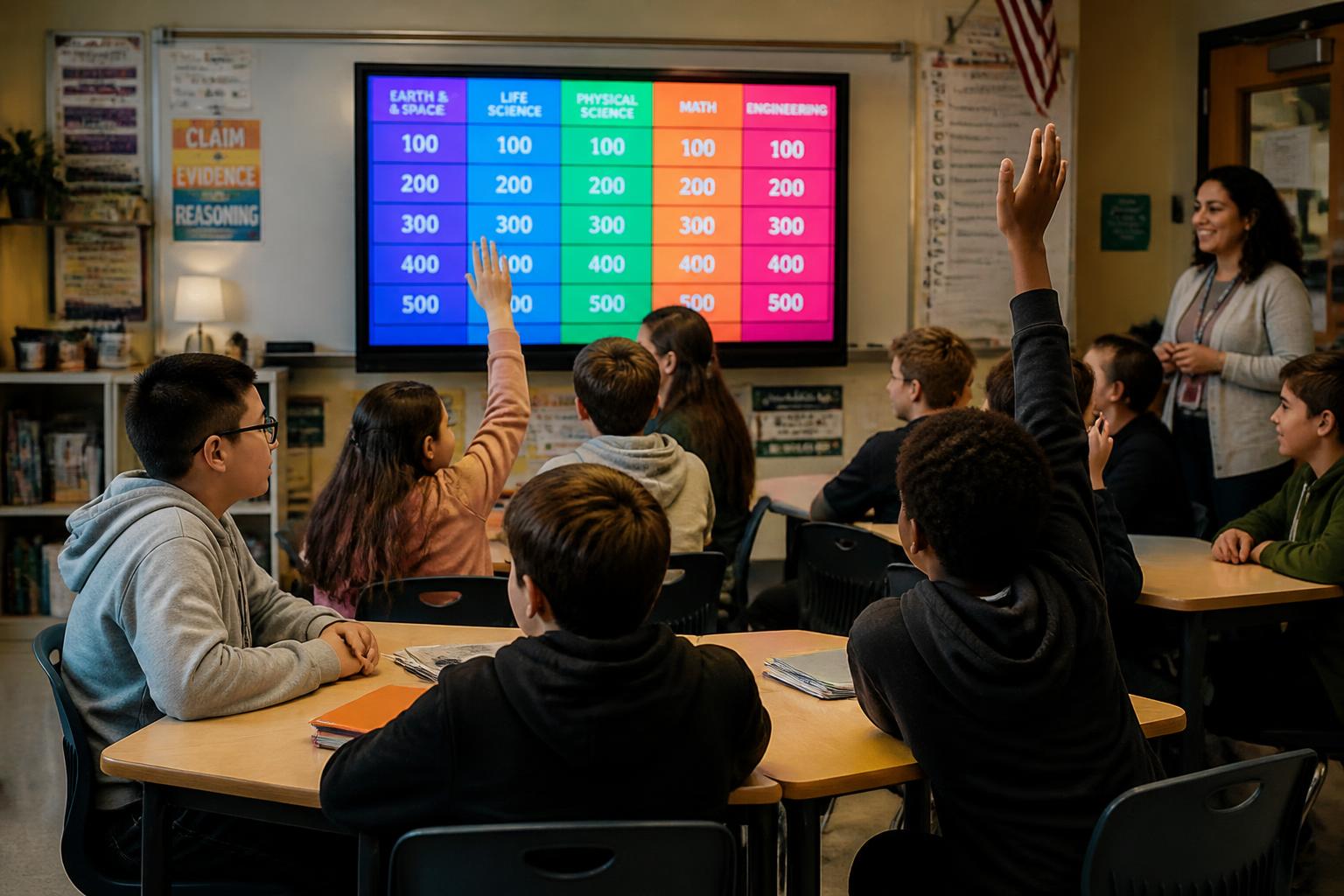
- Jeopardy-style review: Categories reinforce units; point values manage difficulty. Great for layered review before tests.
- Team challenge: Small groups discuss then submit one answer. Encourages collaboration and speaking practice.
- Picture round: Perfect for younger grades or ELL students—use images, maps, or labeled diagrams.
- Mystery clue trail: Give clues that lead students to the next clue/location—works well for history or science timelines.
Each format can be scaled by question complexity and time. Many teachers mix two formats in a single lesson to maintain momentum.
Designing questions that motivate learning
Good trivia questions do three things: check core knowledge, encourage thinking, and reward quick recall. Keep questions clear and age-appropriate.
- K–2: Use concrete prompts and visuals. Ask about colours, shapes, basic facts, or a two-step sequence.
- Grades 3–5: Include short reading comprehension, map skills, or simple math puzzles.
- Middle and high school: Ask multi-step problems, cause-and-effect questions, or source analysis.
Use a mix of question types: multiple choice for quick scoring, short answer for recall, and one deeper question per round to spark discussion. Rotate difficulty to keep all students engaged.
Tech tools and simple setups
You don’t need fancy equipment to run effective trivia. A whiteboard and a timer work fine, but tech can lift engagement and streamline scoring.
- Presentation slides: Build a visual round with instant reveal and sound effects. Slides are easy to reuse year-to-year.
- Classroom clickers / buzzers: Physical buzzers or mobile apps raise excitement for whole-class play.
- Online Jeopardy maker: Use a digital board builder to make interactive rounds — quick to edit for upcoming lessons. Try Kleveroo’s Jeopardy board maker for an easy start.
- Shared documents: For remote or blended classes, use a shared quiz link students submit in small groups.
Keep a backup non-tech plan if devices fail: printed question cards or flashcards are reliable and fast.
Differentiation and accessibility
Trivia should include every student. Differentiate content and response methods so learners with diverse needs can participate.
- Offer multiple response modes: verbal, written, or visual (draw a quick diagram).
- Vary time allowances by student or team when needed.
- Use clear language and avoid cultural references that may confuse ELL students.
- Provide scaffolded hints for students who need support—hints can be a point penalty or a team lifeline.
Small adjustments increase confidence and let you use trivia as formative assessment for all learners.
Classroom management tips for smooth play
Set expectations before you begin. Quick rules and a consistent routine keep trivia fun and focused.
- Explain scoring and consequences (e.g., no shouting answers).
- Decide how ties are broken—first-buzzer, tiebreaker question, or a quick team challenge.
- Rotate team roles: captain, scribe, researcher, and presenter to get everyone involved.
- Keep rounds short (5–8 minutes) to maintain energy in elementary classes; older students can handle longer matches.
Consistency matters: when students know the routine, they concentrate on content rather than logistics.
Assessment and reflection
Use trivia not just for fun, but as quick formative checks. Note patterns in wrong answers to guide reteaching.
- After a round, spotlight one common misconception and reteach for 3–5 minutes.
- Save game results to monitor progress across units and to form mixed-ability review teams.
- Ask students to write one thing they learned and one question they still have—use this to plan the next lesson.
Quick sample games to try this week
- 5-Minute Warm-Up: Five mixed questions at the start of class; rotate a team buzzer each day.
- Exit Ticket Trivia: Two challenge questions as exit slips—use for immediate feedback.
- Unit Jeopardy: End-of-unit Jeopardy with 3 categories and a final question. Swap teams if one dominates.
Many teachers report that a predictable, engaging trivia routine makes review feel less like a test and more like play.
Next step: build a ready-to-play board
Want a fast way to make reusable rounds? Create a Jeopardy-style board or quick quiz that you can adapt each term. Kleveroo’s tools make it simple to generate boards and customize rounds for any subject or grade. If you teach multiple classes, save templates to reuse and iterate.
Try making your first interactive review now with a digital board and one quick round to test pacing and rules. For team sizes, scoring and timing, see how to play Jeopardy in the classroom.