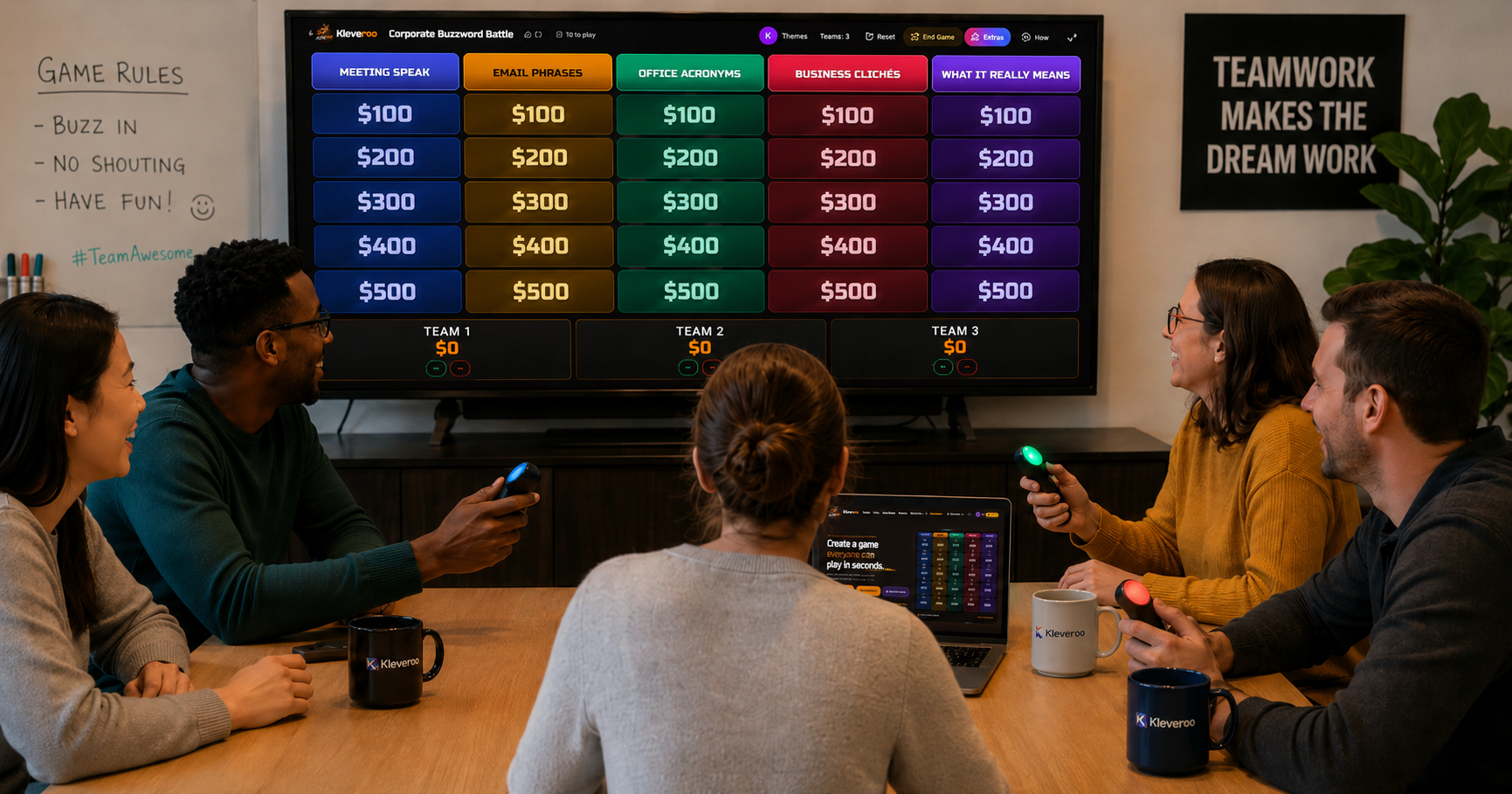
A Kleveroo team bonding session is one host, one shared screen and a 5x5 Jeopardy-style board that runs in 25 to 30 minutes. Nobody installs an app or joins from a phone: the board goes on the conference-room display or a screen share, teams answer out loud, and Kleveroo tracks scores and played clues automatically. The categories are what make it bonding rather than a quiz — roughly three work categories to two human ones.
This is a product guide to running team bonding sessions with Kleveroo specifically — how the Board Battle format works for a work team, what to put in the five categories, and how to host it whether your team is in one room or spread across a video call. If you're still deciding which format suits your group, start with the office Jeopardy hub.
What a Kleveroo team bonding session actually looks like
Kleveroo Board Battle is host-led and runs on one shared screen. You put the board on the conference-room TV, a projector, or a shared browser tab on Zoom, Meet, or Teams. One person hosts: they pick tiles, read clues aloud, run the optional timer, reveal answers, and award points. Everyone else plays in teams around that one screen.
Nobody on your team installs an app, creates an account, or joins from a phone. There are no buzzers in Board Battle. That's deliberate — it removes the five minutes of "can everyone get in?" that usually eats the start of these sessions. If you specifically want each person answering individually from their own device, Kleveroo has a separate mode for that called Live Trivia.
A full 5×5 board is 25 clues and runs about 25–30 minutes. A half board fits a 15-minute meeting slot.
Building the board: five categories that get people talking
The categories decide whether the session feels like a quiz or like bonding. The mix that works best is roughly three work categories to two human ones:
- Company history — founding, first customer, the office everyone outgrew, the product name that got rejected.
- Our products — features, tiers, what shipped last quarter. Doubles as quiet reinforcement.
- Customer wins — the logos and the deals people are proud of.
- Who said it — quotes pulled from all-hands recordings or the team channel. Reliably the loudest category.
- Two truths and a teammate — a fun fact per person, and the room guesses who. This is the one people remember.
You can write all of this by hand in the Jeopardy board maker for free — no limit on boards. If you'd rather start from a draft, the AI board generator can write the general-knowledge categories, but it has no access to your internal information, so the company-specific categories still need to be written by you.
Three session formats by meeting length
- 10–15 minute warm-up. Play half a board — two or three categories — before the agenda starts. Two teams, no timer, keep it loose.
- 25–30 minute full board. The standard team bonding session. Three or four teams, timer on for pacing, all 25 clues.
- 45 minute department showdown. Two boards back to back, or one board with categories written by each function so every team has one column they should dominate.
Hosting tips that make the difference
- Pick a host who isn't playing. A manager or chief of staff hosting keeps scoring uncontroversial.
- Teams of three to five. Bigger teams and the quieter people stop contributing.
- Let each team submit one category in advance. Ownership goes up and so do the laughs.
- Rotate who answers. A simple house rule that each teammate answers at least once keeps one person from carrying the table.
- Use the timer for pacing, not pressure. Turn it on when the room is stalling; leave it off when the discussion is the point.
Kleveroo tracks team scores on screen and marks played tiles automatically, so the host isn't keeping a tally on a whiteboard while also running the game.
Remote and hybrid teams
Share the board tab on your video call and run it exactly the same way. Teams coordinate in the main call or in breakout rooms, and the host awards points from the shared screen. Because Board Battle doesn't require player devices, there's no join step to troubleshoot — if someone can see your screen share, they can play.
For a large distributed meeting where nobody shares a table, Live Trivia is the better fit: everyone joins from their own device with a room code and answers individually.
Reusing the board
Boards save to your account, so an onboarding or team bonding board written once runs again with the next cohort. Duplicate it, swap the three or four clues that went stale, and you have a fresh session in ten minutes. Teams that make this a recurring ritual usually keep two or three boards in rotation and add one per quarter.
Where to start
If you have your questions already, open the board maker and write them in. If you want to see the format first, browse the free public board library and host one as a practice run — no account needed to look. For more workplace formats beyond Jeopardy-style boards, the Teams hub and company trivia games pages cover the rest.